AOT (Analysis Oval Text) tool operation
NEGA’s AOT (Analysis Oval Text) tool is specifically designed for the detailed analysis of ovals in the context of handwriting and forensic document analysis. AOT allows experts to accurately evaluate ovals traced in manuscripts, such as letters “o”, “a”, “e”, and other oval shapes, providing advanced metrics to determine similarities, patterns and possible discrepancies. Many of our customers have already successfully used it to analyze graffiti and writings on walls, expanding the possibilities of the software in the field of criminology and forensic investigation.
Main AOT capabilities:
- Proportions and angles analysis:
AOT accurately measures the aspect and inclination of ovals, providing data such as Aspect Ratio (ratio of width / height) and inclination angle. - Outlier detection:
Using advanced algorithms, AOT identifies ovals that deviate significantly from the average characteristics of the set, automatically highlighting them in red in the reports. - Advanced graphical reports:
Generates detailed reports including graphs of average results, standard error margins and interference ranges to compare similarity patterns between ovals. - Outlier control:
It integrates an option to enable or disable outlier detection, allowing customized reports to be generated even in cases where there is no range of interference. - Improved data visualization:
AOT presents the results in a clear and visual way, facilitating the interpretation of complex data through graphs and visual representations.
AOT uses algorithms designed and tested to optimize the detection and analysis of ovals based on their geometric characteristics, increasing the accuracy and reliability of the analysis.
Main uses:
- Evaluation of uniformity in handwritten strokes, especially in ovals.
- Identification of possible manipulations or differences in scripts.
- Statistical analysis to determine consistent or inconsistent calligraphic patterns.
- Accurate comparison in graphometric studies for legal and forensic expertise.
AOT is an indispensable tool for forensic professionals seeking in-depth and detailed analysis of oval graphic elements, combining state-of-the-art technology and ease of use.
Oval analysis
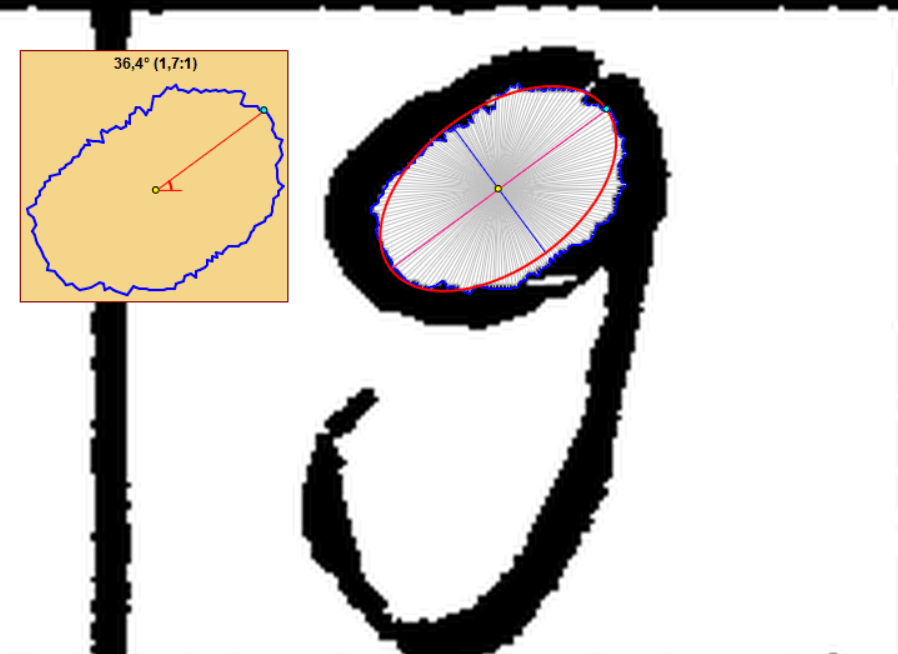
The AOT tool is able to analyze an oval by simply clicking inside it. It creates an ellipse and calculates its aspect ratio and tilt angle instantly. The tool has a sensitivity control of the point tracking radar, which is used to lower the sensitivity in certain cases where the oval is not perfectly closed and has a gap in its perimeter.
Outliers
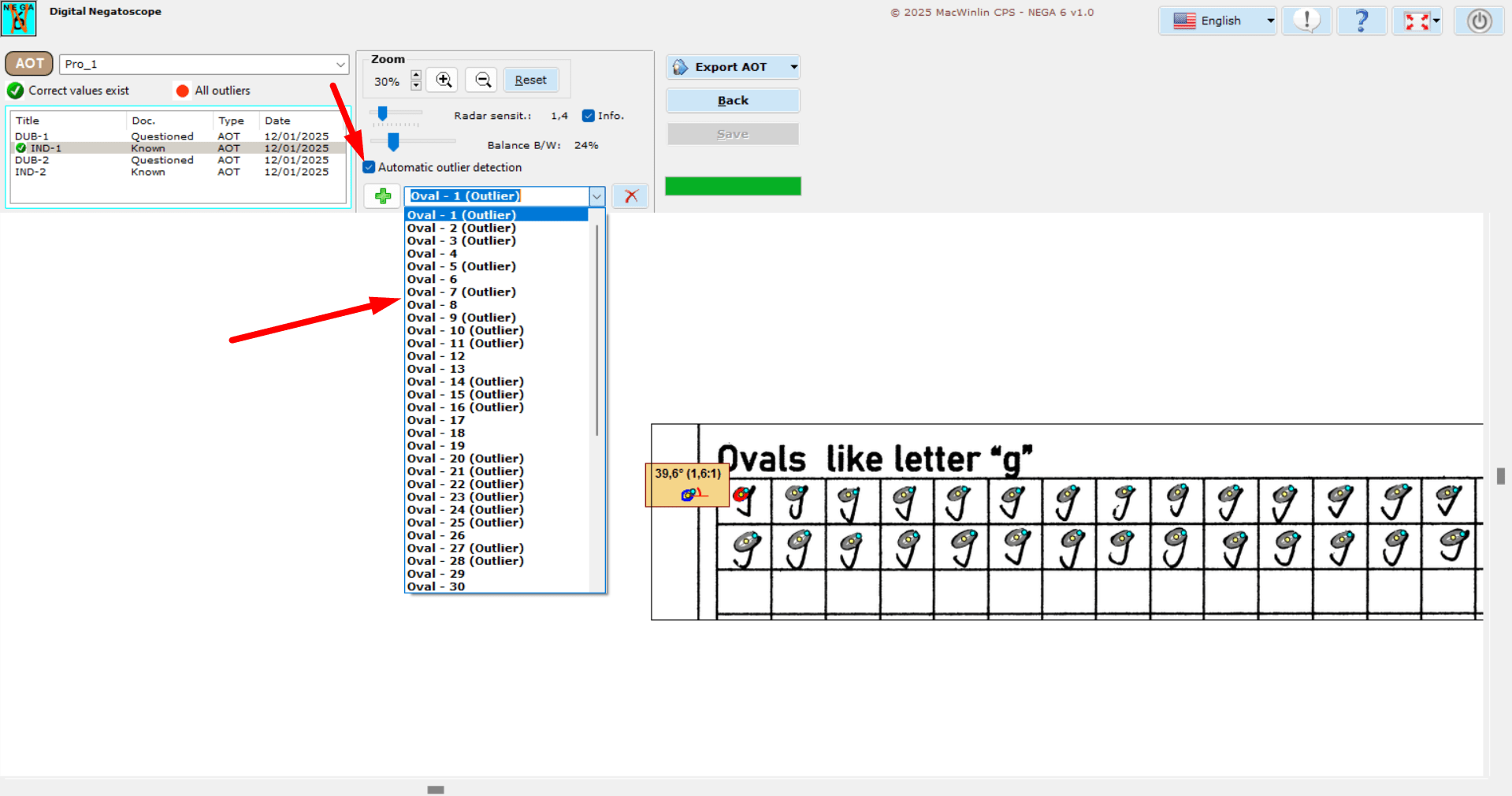
The AOT tool incorporates a new outlier detector, it has been able to detect outliers with a lot of dispersion adjusting the result, according to the values detected in the tilt angle and aspect ratio, this selector is recommended to activate it when we finish analyzing all the ovals of the photo, because it works better analyzing a certain amount of data.
AOT Reports
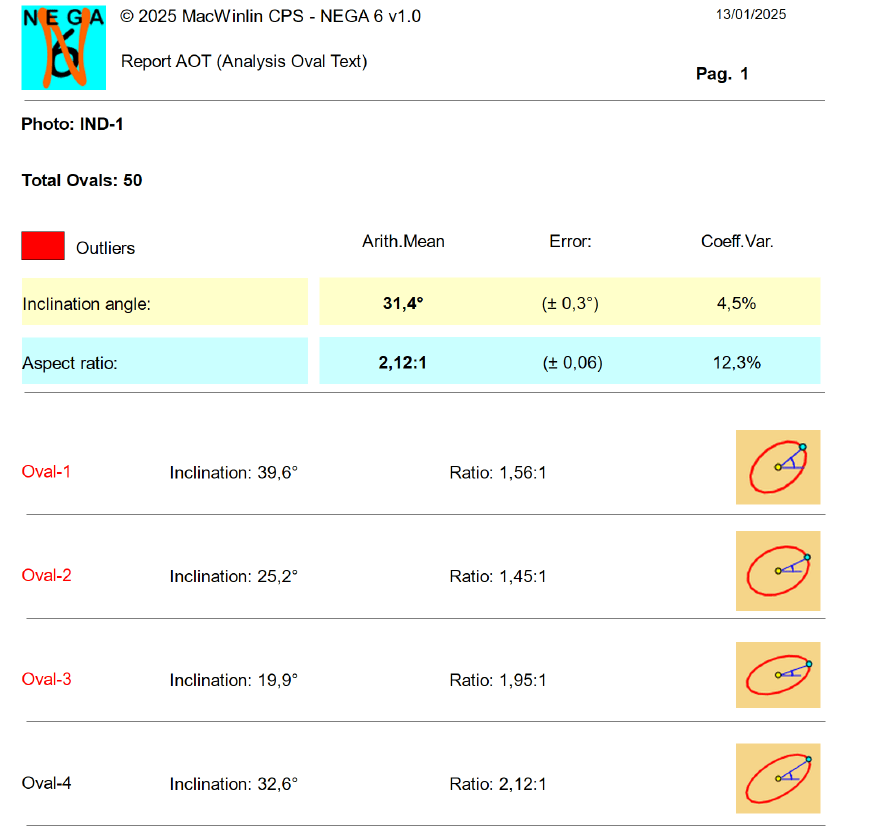
On the one hand, in the same AOT analysis module, we can export to a PDF report the analysis of all the ovals of each of the selected photos. We will obtain a detailed report of each oval, with the data of its tilt angle and calculated aspect ratio, as well as the arithmetic mean of the values and their average standard error. These final results for each photo are then used to generate the final results in the comparison generator, where we can combine the photos we want to compare their results.
AOT final results reports
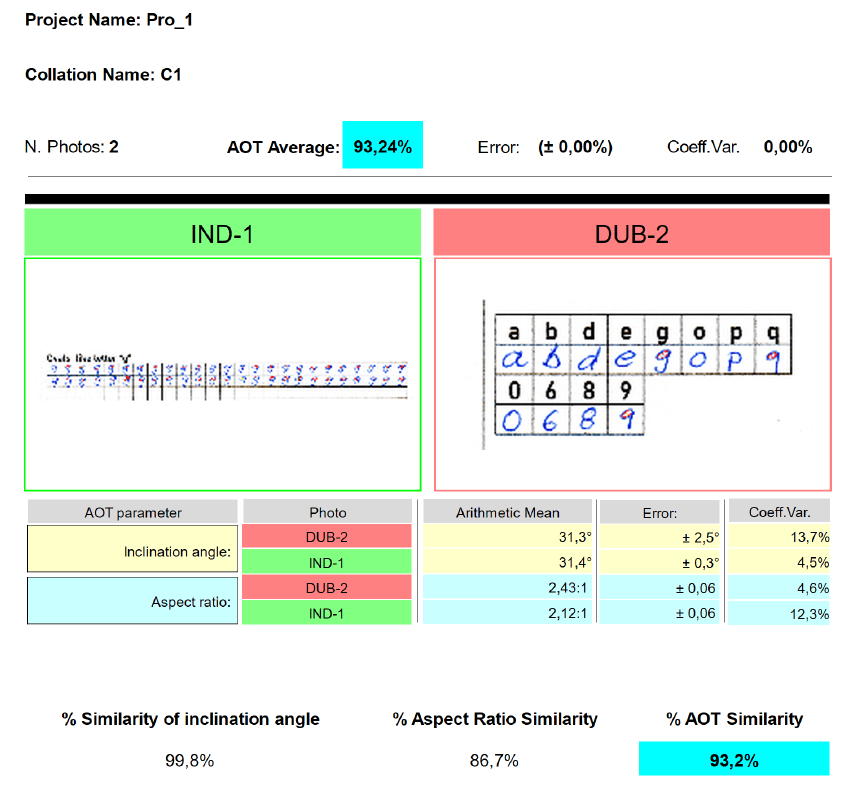
Also from the matching generator, after creating the matching with the desired combination of photos, we can export to a PDF report the final results, the graph and the related photos, this will be exported to a directory located on the desktop of the PC, called “My Project NEGA 6”.