
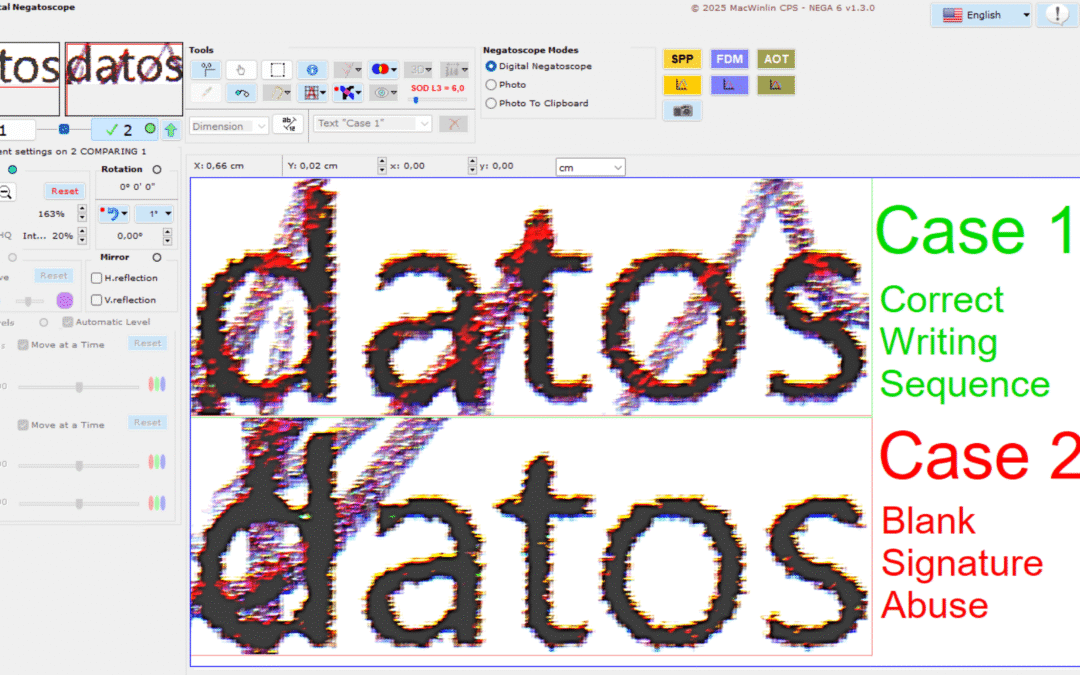
Test goal
Our goal is to define NEGA Software capabilities to deal with an blank signature abuse, with strokes crossing between a common writing tool such as a ballpoint pen and a printed text on the document being signed, this analysis method will only be valid if the strokes cross with the printed text, if the signature is made on a part of the document, in which there is no crossing with any printed text, this method is not valid.
For the test, we have decided to use the most common printing technology, the inkjet, it has been decided to perform the test with a very common hardware, a multifunction printer with built-in scanner, there are several commercial brands that manufacture them, but the brand that is most used by professionals is EPSON manufactured by the Japanese industrial group SEIKO. Although there are more updated models of this brand, it has been chosen relatively affordable with good price / quality ratio, it is the EPSON XP-520, the maximum optical resolution of the scanner is 1200 dpi (can reach 9600 dpi interpolated by software), on the other hand, for the signature has been chosen the typical blue ballpoint pen type BIC, and finally the same EPSON printer has been used to print in color, although the text is black.
As we know, NEGA software only distinguishes color pixels by reading a graphic format file, which contains information from a digitized image, therefore, for this tests type we discard digital camera photography, due to its variable exposure to light depending on the environment, causing variations from one photo to another, shadows by exposure to diffuse light from different origins, blur, optical aberrations due to focal length and camera position etc… …, to avoid this and to ensure identical settings in each digitization, an optical scanner is mandatory. If you only have digital camera photos, the new SOD filter has four levels that you can try out and get good results.
Although the scanner incorporated in the EPSON XP-520 model that we have used, supports up to 9600 dpi resolution, it does it by software interpolation, it is necessary to try to capture the maximum image information without the scanner software applying any software enhancement filter (although seeking balance resolution / file size), the data generated in the scanner sensor is then sent through its communication electronics, and this is received and managed with the control software that incorporates the manufacturer. Tests have been done to see what differences there are with different resolutions, 300 dpi, 600 dpi, 800 dpi and 1200 dpi.
“We have verified in the empirical tests that 300 dpi is not enough for this type of analysis with filters that don’t offer enough detail, and that from 600 dpi and 800 dpi onwards we start to see better results, but the 1200 dpi resolution has been the one with the best results…”
With this resolution, a DIN A4 or similar size document can be scanned without excessively increasing the file size, although it has been decided to cut the signature area with NEGA, so as not to overload the filters work, and thus, to be able to work faster. There are scanners with higher optical resolution, 2400 dpi, and up to 4800 dpi, but increasing the resolution further increases the size of the file obtained, being very slow to work with NEGA or even impossible to load because of its size (NEGA has a limit of 20000 x 20000 pixels image size), using higher resolutions would only be valid, if necessary to scan and experiment with a small area of the document, but not with its entirety.
For the test of Case 1 which would be the correct and usual case, first a document was printed with the EPSON XP-520 inkjet printer in color (black text) and high quality, then it was signed over text with the ballpoint pen.
For the Case 2 test, we have proceeded in the opposite way, we have signed a blank document, in previously marked places, knowing where the text that will be printed later will be, then we have introduced the signed paper in the printer, and the printing has been done, leaving the signature under the printed text. This would correspond to a case of blank signature abuse.
We have thought that by analyzing the two possible cases, we will know how the filters applied with NEGA on the different documents respond, and thus the patterns that we have to see in one case or the other, being able to make an accurate opinion when we are faced with an documents analysis, in which we will not know the original writing sequence with respect to the printing.
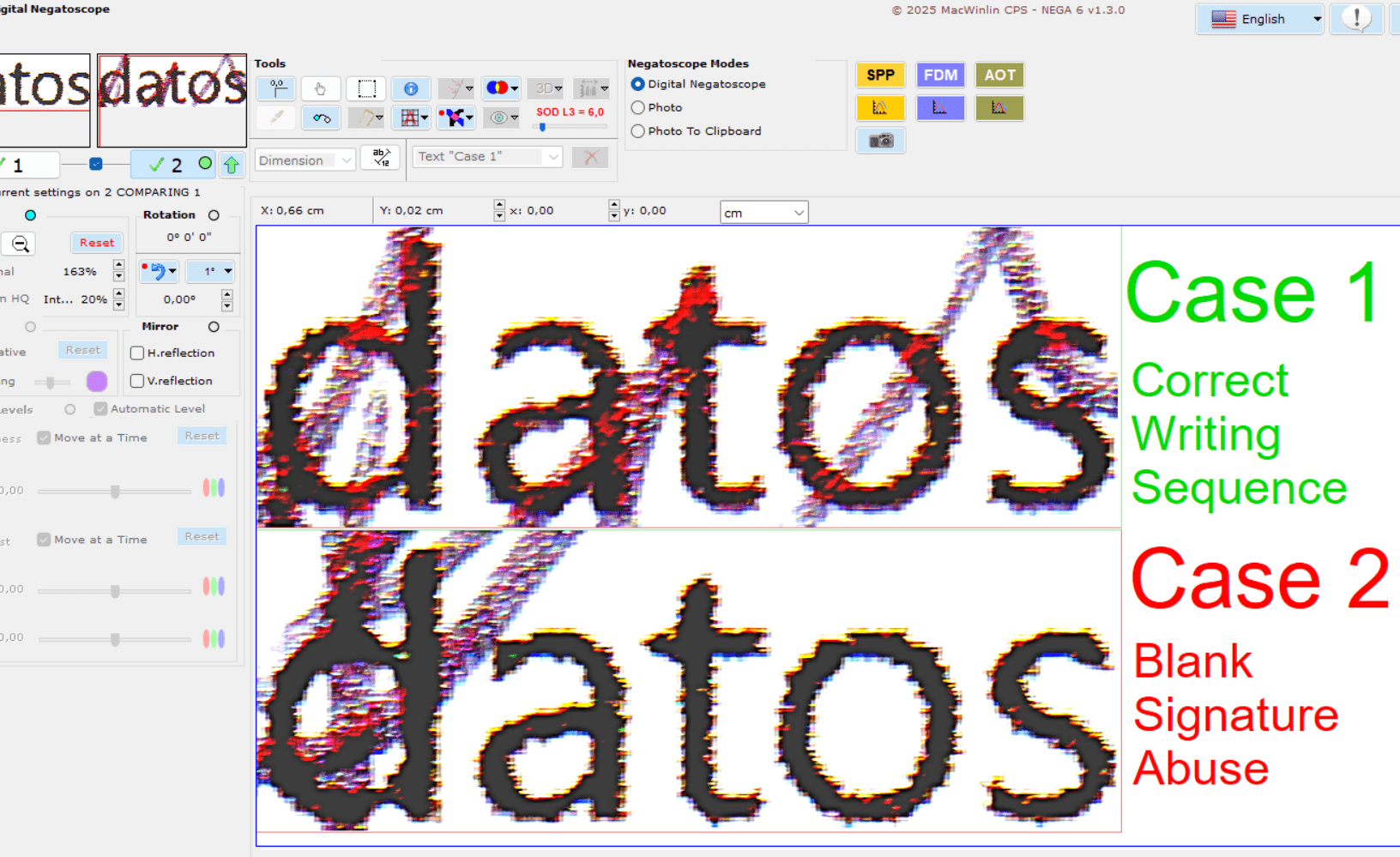
Scanner features and test settings.
- Multifunction scanner/printer EPSON XP-520.
- Scanner software Epson Scan v4.0.1.1 de Seiko Epson Corporation.
- Software settings in professional mode.
- Maximum optical scanner resolution, 1200 dpi without software interpolation.
- 24-bit RGB color.
- No color adjustment, no color correction by the scanner software.
- No continuous auto exposure adjustment.
- Uncompressed TIF output format file.
Writing tools and paper type.
- Ballpoint pen BIC ballpoint normal tip Blue and Black color.
- NAVIGATOR Ultra Smooth white printing paper 120 g/m2.
Filters and settings used in NEGA for all tests.
- NEGA 6 v1.3.0
- SOD (Stroke Overprint Detection) Digital NEGA Filter
Not tested with:
- Green ink pens.
- Felt pens.
- Fountain pens.
- Other different types of paper such as 80 g/m2 and 90 g/m2, recycled paper and different surface treatments (Ultra Glossy, Premium Glossy, Premium SemiGlossy, Glossy, Matte).
Analysis of two possible real cases
Case 1: Correct writing sequence
BLUE ink ballpoint pen
- First the text is printed with the EPSON inkjet printer in high quality color printing (black text).
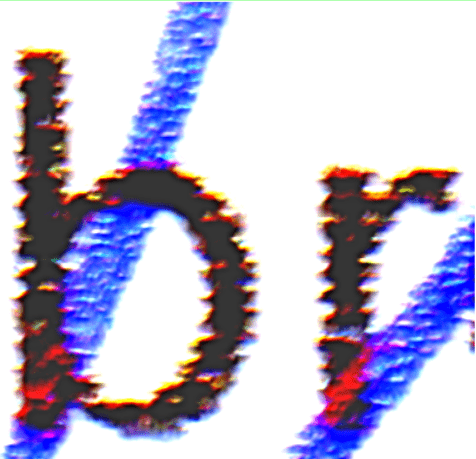
- The same document is then signed with a blue ink ballpoint pen (BIC type).
- SOD (Stroke Overprint Detection) Digital NEGA Filter Level 3.
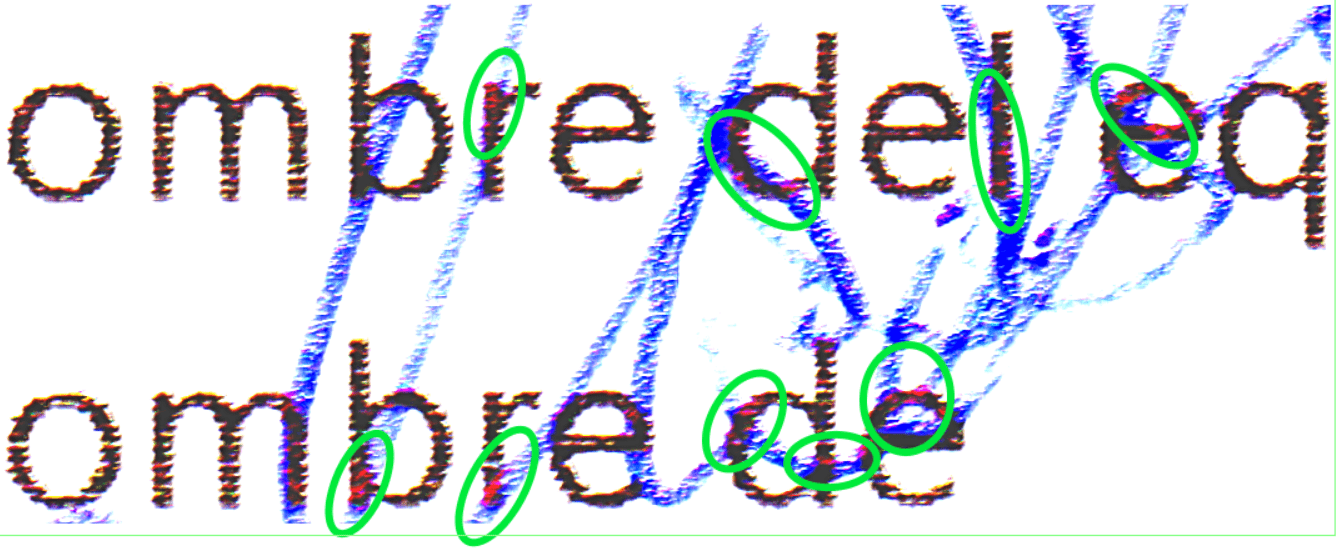
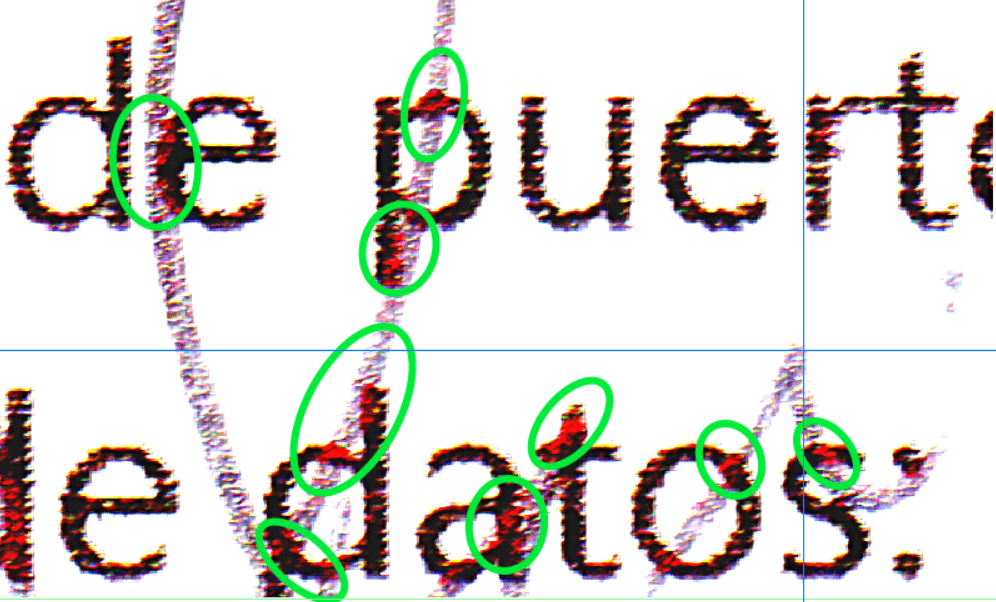
- The areas where the pen stroke overlaps the printed text are marked by the NEGA filters in reddish color. The original image without filters is shown below to see the difference.

Case 1: Correct writing sequence
BLACK ink ballpoint pen
- First the text is printed with the EPSON inkjet printer in high quality color printing (black text).
- The same document is then signed with a black ink ballpoint pen (BIC type).
- SOD (Stroke Overprint Detection) Digital NEGA Filter Level 3.
- The areas where the pen stroke overlaps the printed text are marked by the NEGA filters in reddish color. The original image without filters is shown below to see the difference.
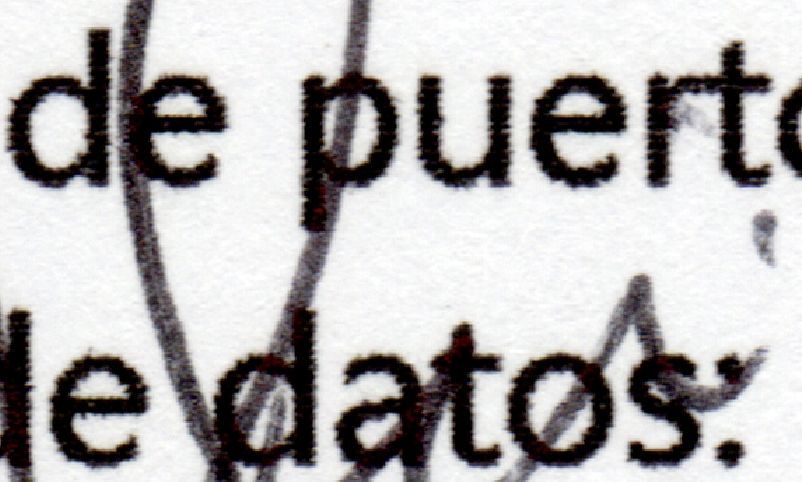
Case 2: Incorrect Sequence (Blank Signature Abuse)
BLUE ink ballpoint pen
- First, it is signed with a blue ink ballpoint pen (BIC type).
- Then on the same signed document, the text is printed with the EPSON inkjet printer in high quality color printing (black text).
- SOD (Stroke Overprint Detection) Digital NEGA Filter Level 3.
- There are no areas where the pen stroke overlaps the printed text. The original image without filters is shown below to see the difference.
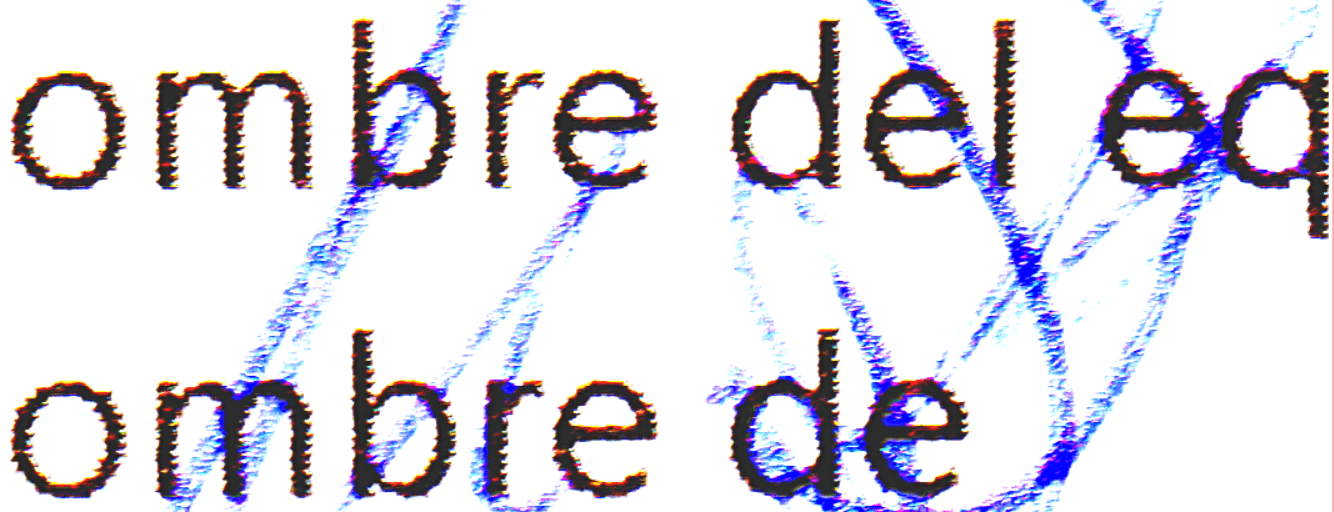
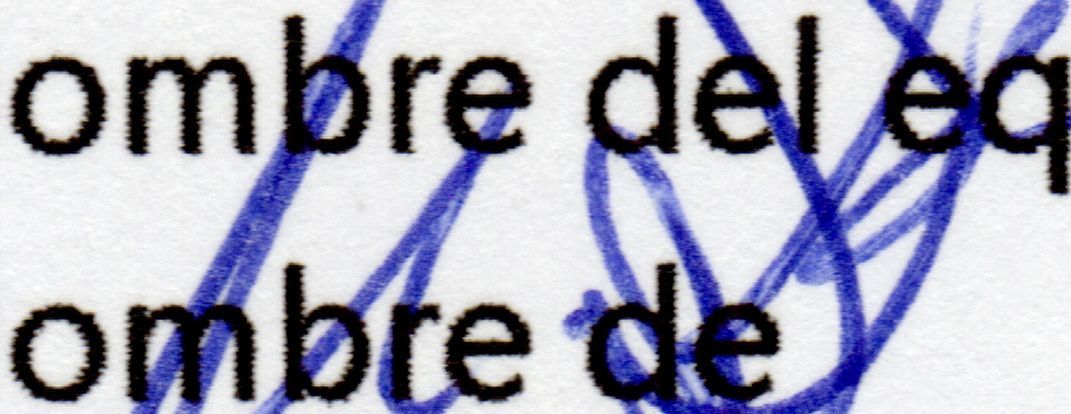
Case 2: Incorrect Sequence (Blank Signature Abuse)
BLACK ink ballpoint pen
- First, it is signed with a black ink ballpoint pen (BIC type).
- Then on the same signed document, the text is printed with the EPSON inkjet printer in high quality color printing (black text).
- SOD (Stroke Overprint Detection) Digital NEGA Filter Level 3.
- There are no areas where the pen stroke overlaps the printed text. The original image without filters is shown below to see the difference.
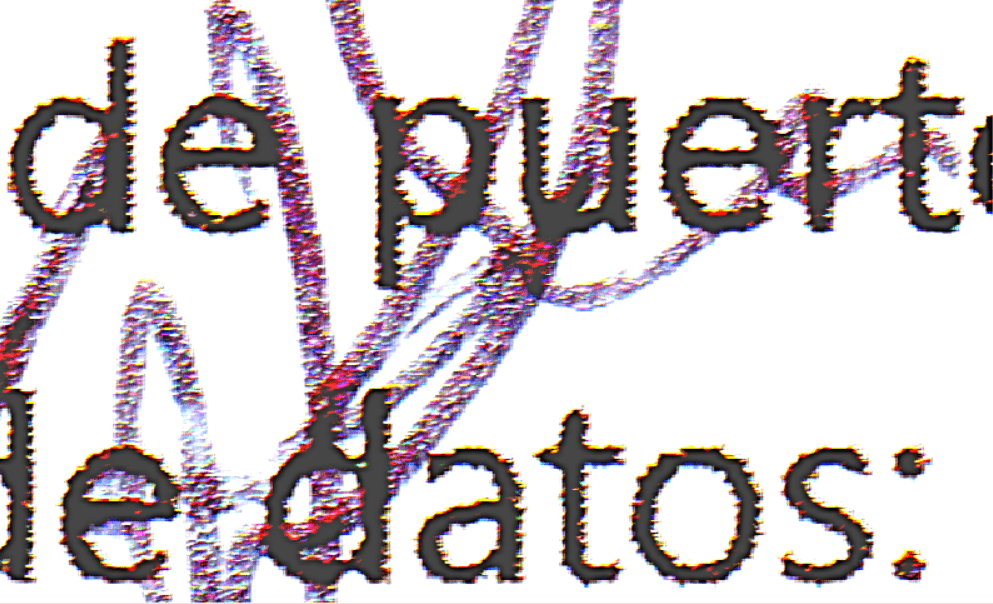
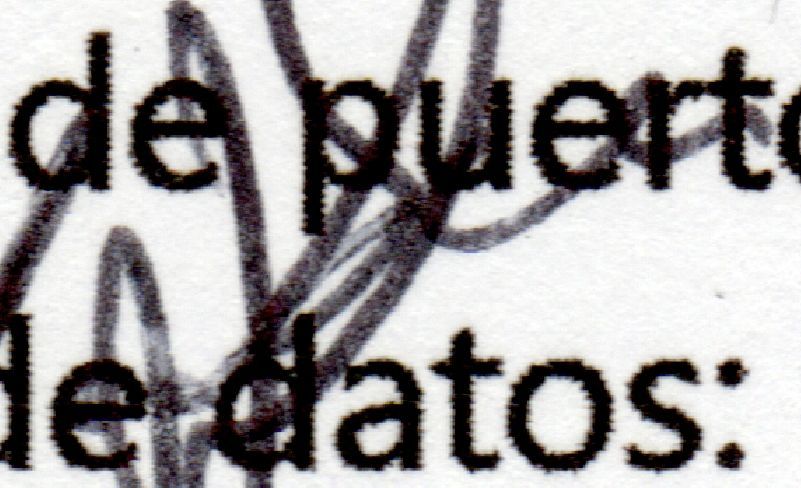
Detailed comparative analysis
Signature OVER printed text 1200 dpi.
Case 1: Correct sequence
BLUE ink ballpoint pen
SOD( Stroke Overprinting Detection) Digital NEGA Filter Level 3.
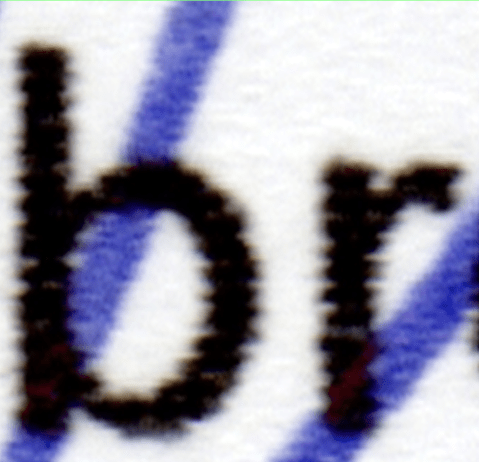
Signature OVER printed text 1200 dpi.
Case 1: Correct sequence
BLACK ink ballpoint pen
SOD( Stroke Overprinting Detection) Digital NEGA Filter Level 3
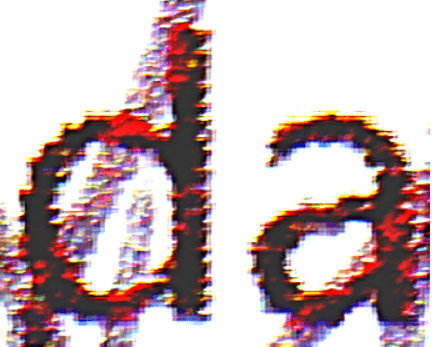
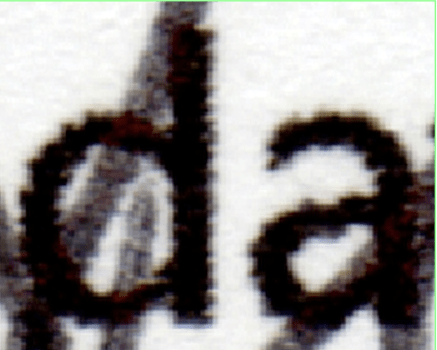
Signature BELOW printed text 1200 dpi.
Case 2: Blank Signature Abuse
BLUE ink ballpoint pen
SOD( Stroke Overprinting Detection) Digital NEGA Filter Level 3.

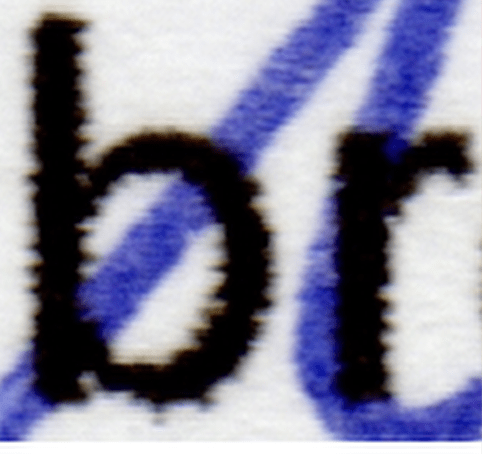
Signature BELOW printed text 1200 dpi.
Case 2: Blank Signature Abuse
BLACK ink ballpoint pen
SOD( Stroke Overprinting Detection) Digital NEGA Filter Level 3
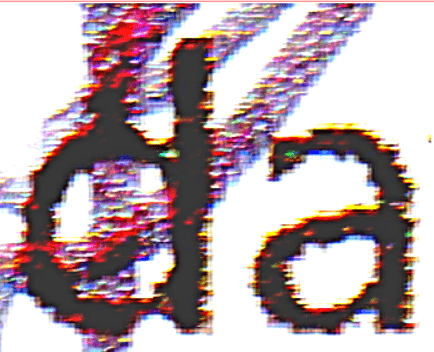
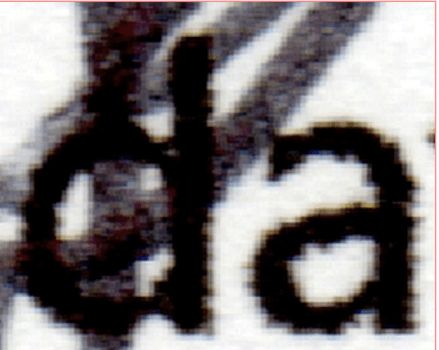
Analysis with black and white laser printing
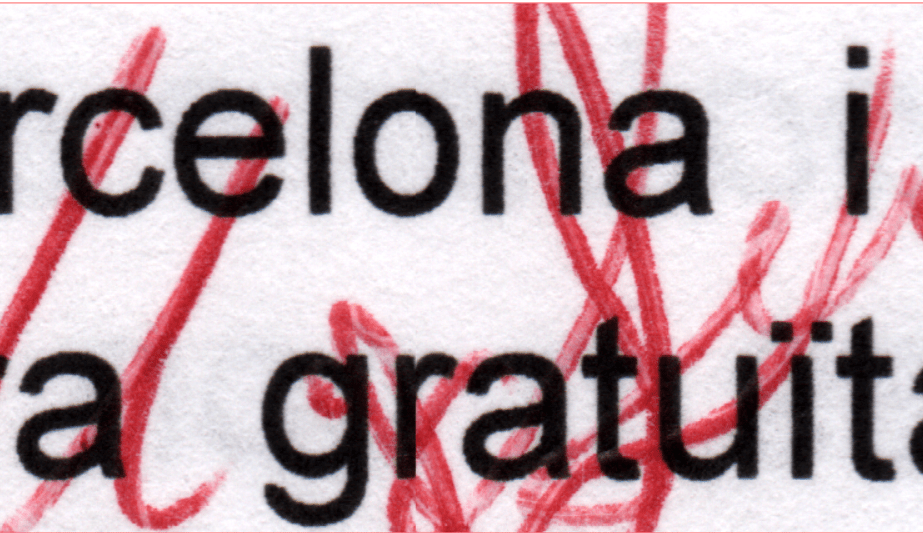
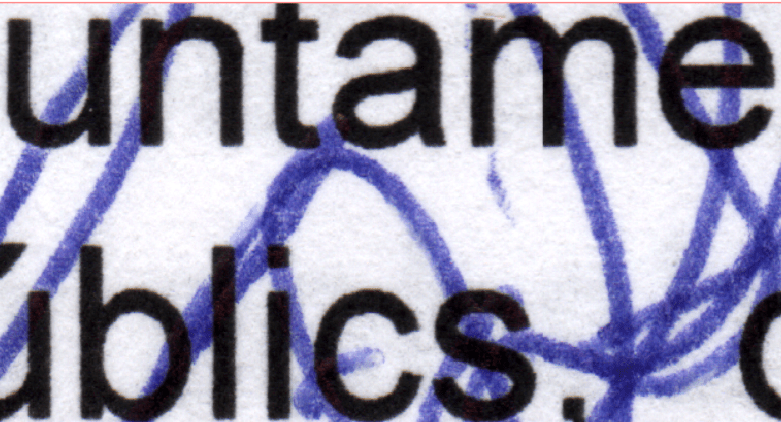
A test was made with signatures using ballpoint pens with red, blue, and black ink, similar to BIC pens, on text printed from a Xerox VersaLink B625 black and white multifunction laser printer. The goal is to test how the SOD filter works on this type of printout. The tests showed that laser printer toner has much higher contrast than inkjet printer ink, so we decided to disable all color and exposure settings applied by our EPSON scanner software, and the results were good.
Scanner features and settings for testing.
- EPSON XP-520 multifunction scanner/printer
- Epson Scan v4.0.1.1 scanner software from Seiko Epson Corporation.
- Configuring software settings in professional mode.
- 24-bit RGB color.
- Maximum optical scanner resolution, 1200 dpi without software interpolation.
- No color adjustment, no color correction by the scanner software.
- No continuous auto exposure adjustment.
- Uncompressed TIF output format file.
SOD filter Level 3. Laser B/W printing + Red ballpoint pen

ORIGINAL
SOD filter Level 3. Laser B/W printing + Blue ballpoint pen

ORIGINAL
SOD filter Level 3. Laser B/W printing + Black ballpoint pen

ORIGINAL

Final summary. Pros and Cons.
According to the result it can be observed, analyzing the detail of the chosen cropped image, that where the pen stroke crosses over the text, there are areas that the filter shows the strokes in red, over the letter “b” and “r”, which are not seen in the image that there is abuse blank signature , where the ballpoint pen stroke is below the text.
It should be noted that in case 1, for example, where the ballpoint pen stroke is over the text, although there are areas that are not visible by the filters, there are multiple other areas that corroborate that the ballpoint pen stroke is over the text.
If we analyze Case 2, the opposite happens, here the ballpoint pen does not have to be marked above the text, as it is an a blank signature abuse, but there is some stroke (although always punctually) that is marked over the text.
Although they could be considered false positives within your environment, it has actually been detected by the filter, but it detects it due to several factors:
- That the inks have not dried completely and are mixed, due to the short time between printing and signing or vice versa.
- Ballpoint pen pressure variation at that crossing.
- Different ink absorption in that paper area.
- There is a small gap in the letter, caused by a printing failure, due to the nozzle (dirt or mechanical failure) and the pen ink is visible between the gap, even though it is underneath.
“To correctly analyze the results, it is necessary to have a view of the area with the signature and all the crosses with the printed text, so we will see if there are more areas of stroke over the text or on the contrary, the text predominates over the ballponit pen strokes, with this broader visual analysis, we will more easily discard the crosses that can lead to confusion, and that although they have been detected for the reasons mentioned over and are real, they can be considered false positives, within the general signature view, which we are analyzing.”
As indicated, given the wide printing systems variety, technologies according to the brand chosen and also on the other hand, the wide variety ballpoint pens types and inks, such as fluid ink ballpoint pens with water-based or gel type (even being ball point), or felt and fountain pens, with which writing always exerts less pressure, we can not ensure that the results are the same, not having conducted empirical tests, but we do not rule out that it can work and present the same results patterns.
The following is a summary of the pros and cons about using blank signature abuse analysis method for analysis with the NEGA software, according to the empirical methodology on this study.
The Pros
- SOD ( Stroke Overprinting Detection) Digital NEGA Filter with 93% match .
- False positives are easily detected and discarded, if we compare the results, within an overview of the signature and the crosses with the text.
- Tested for BIC type ballpoint pens or similar, with blue ink , black ink and red ink.
- Tested for text printed with color inkjet printer and black ink text with EPSON XP-520 multifunction printer.
- Tested with Xerox VersaLink B625 laser printer text using black/white toner.
- Tested with EPSON XP-520 scanner multifunction
- If another scanner model or brand is used, adjusting the same resolution and characteristics, the results are pretty much guaranteed.
The Cons
- If the resolution is lowered below 1200 dpi on the scanner, the results are not as accurate.
- Depending on the intensity of the stroke, the drying time between the inks, the printing text faults, false positives may happen.
- If there is no cross-referencing between the signature and the printed text, logically, this system does not obtain results.